Restore old family photos without a studio
Repair scratched, creased and faded family photos in minutes. Restore the print, then upscale it for a memorial programme, frame or archive.

Short answer
Scan the print at a high resolution (600 dpi is a sound default for small prints), upload it to an AI restore tool and download the repaired file. It fixes scratches, creases, stains and fading and can add colour to black and white photos. Restores come out at up to about 4 MP, so upscale afterwards for large prints. In ZELF a restore starts at 3 credits.
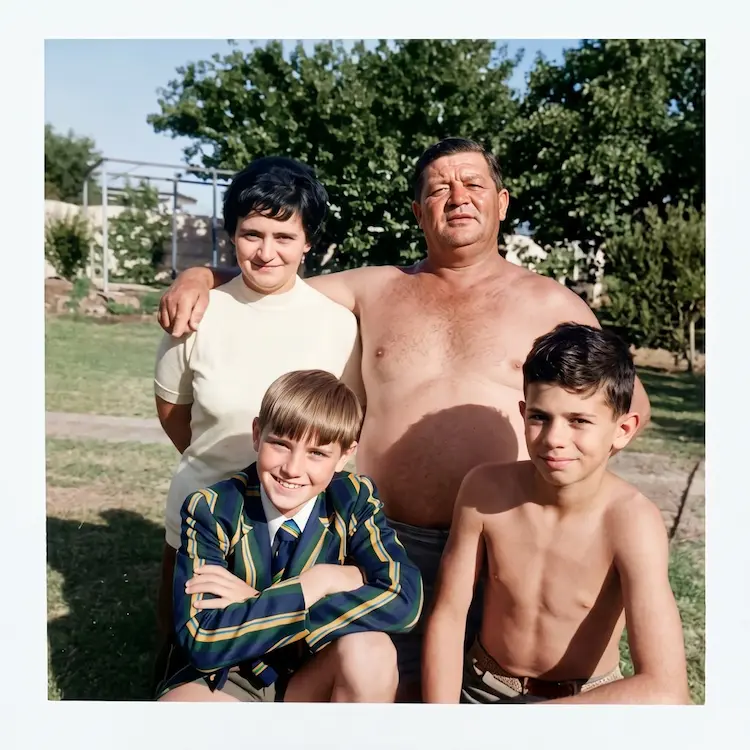
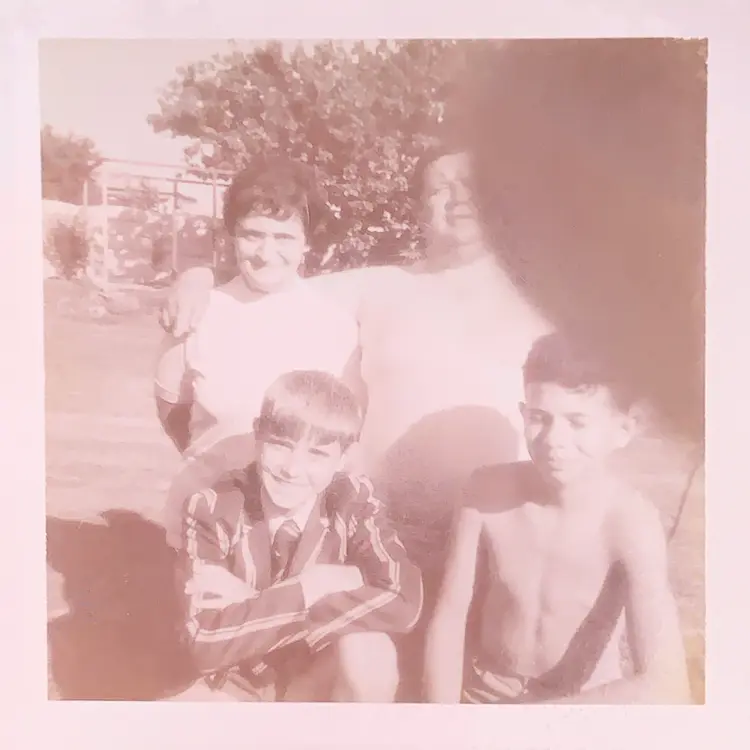
Most South African families have a box of prints that have not aged well: sun-faded colour, a crease through the middle, a coffee stain in one corner. A restoration studio can fix them, but the cost and turnaround rarely match a family project.
ZELF uses FLUX.2 [pro] to repair scratches, creases, stains and fading across the whole image, sharpen faces, and bring colour back to black and white prints. Upload a scan, pay per photo in credits, and download the result — usually in well under a minute.
How to restore an old photo, step by step
- 1 Scan the print at the highest resolution you can, or photograph it flat in even daylight with no glare.
- 2 Upload the JPG or PNG (up to 10 MB) to the Image Restore tool and pick your output format.
- 3 Run the restoration. Processing typically finishes in under 30 seconds and your credits are refunded if it fails.
- 4 Download the restored file. If you need it larger for print, run Upscale afterwards.
Family photo projects that need a restore
Memorial programme
Clean up a faded portrait for a printed order of service.
Heritage project
Restore a creased archive photo for a family history book or a school project.
Bring colour back
Give a worn black and white print natural colour before framing it.
Frequently asked questions
What kind of damage can it fix?
Scratches, creases, stains, tears and fading across the whole image, plus soft faces. Results vary with how damaged the original is.
Can it bring old black and white photos to colour?
Yes. The restore model can add natural colour to black and white prints. Run the same photo twice with different seeds and pick the result you prefer.
How large will the restored photo be?
Restoration keeps your photo at up to about 4 MP. Run the Upscale tool on the result to enlarge it for printing.
Image Restore
Bring a client's old photos back for print and posts.
The client-work letter
One email a month: practical guides, product updates and what other South African solo agencies are charging. No spam, unsubscribe in one click.